
How Payment Fees Work
Each time you successfully process a payment via Curve, payment fees will be applied on top of your Payee's payable amount.
What are my payment fees?
Fees can vary and you can review your fees directly within Curve by going to your Payments section > Balances page > Fees tab.
You may also want to refer back to your Payment Fees Schedule provided to you by our team whilst you were signing up for Payments. If you are an existing Payments user and need a new copy, please reach out to us at [email protected].
What fees are applied?
This depends on a few different factors:
- Payment Type: Whether the type is Local or International (this can be reviewed by going to the Payment Details section within your Payees).
- Amount: For each Local payment, the amount is applied a sales rate percentage for the fee, and this fee is capped at a minimum and maximum amount. All fees are applied and charged in your Home Currency.
- Let's say you pay out in GBP; the sales rate is 1%; the minimum fee is £1; and the maximum fee is £50.
- If you paid £50, the fee would be the minimum £1 and not £0.50 (1%).
- If you paid £10,000, the fee would be the maximum £50 and not £100 (1%).
- Currency: For Local payments only, different currencies can be applied different sales rate percentages, minimum fees and/or maximum fees.
- International Payments: For International payments only, a flat SWIFT fee will be applied to the transaction.
- Currency Conversions: If the currency in the Payment Balance used for the payment differs from the preferred currency in your Payee's Payment Details, then a 2% conversion fee is also applied. This is regardless of the Payment Type being Local or International.
- Please see the Add Currencies to your account section in our Topping up Payment Balances help article for more info on this.
Sharing fees with your Payees
You may have an agreement with your Payees where they are also required cover some or all of the fees mentioned above. To configure this, head back to your Fees section in Curve (Payments section > Balances page > Fees tab):
Currency Fees (Local payments)
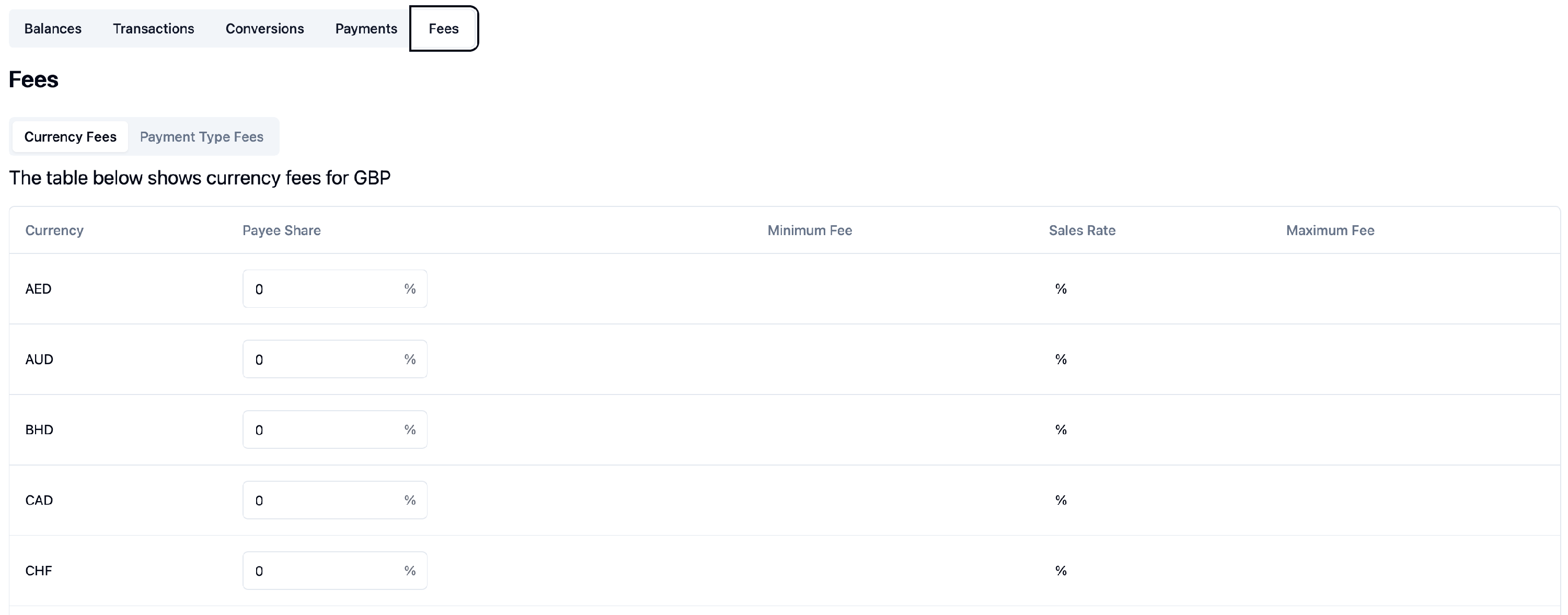
In your Minimum Fee, Sales Rate and Maximum Fee sections, you will see your rates/fees. The Payee Share column can be edited for each different Currency for Local payments so that this percentage is deducted from the Payee's received amount. This value is always 0% by default (you cover all of the fees).
So, for a Local, GBP transaction of £1000 with a 1% Sales Rate (£10) and with a Payee Share of 50%, the Payee would receive £995 (50% of £10 fee has been deducted) and you will cover the remaining £5 of the total £10 fee.
Payment Type Fees (International payments)
You can also configure this for the flat SWIFT fee applied to your International payments by going to the next section along:
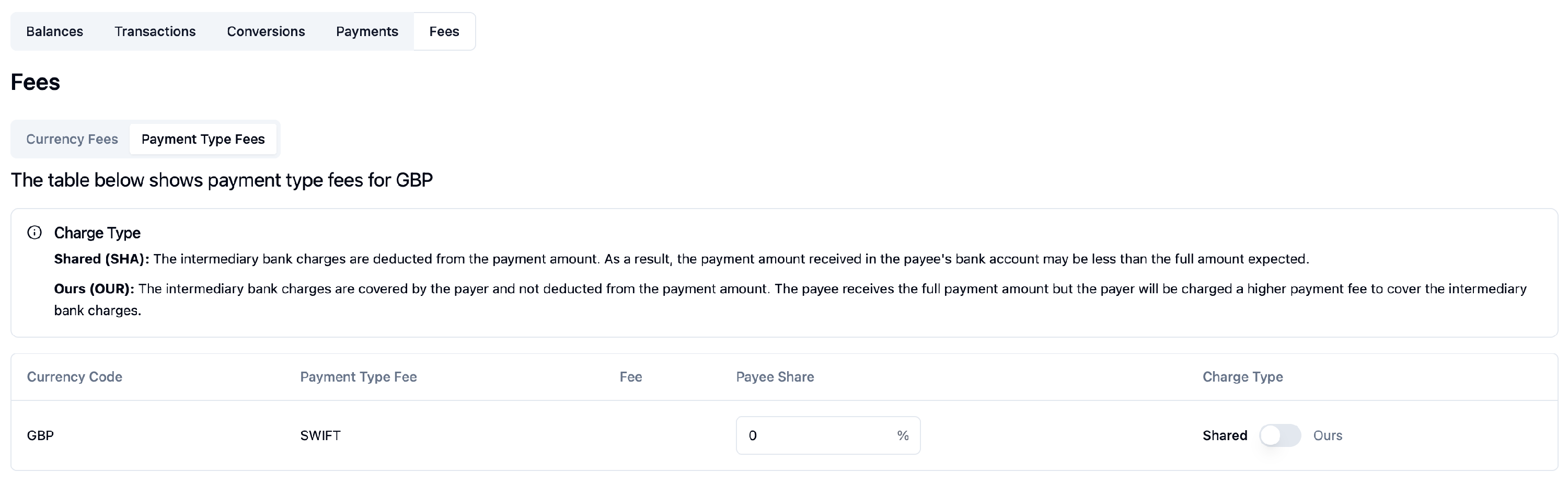
If the Payees are required to cover part or all of this fee and you have specified the Payee Share % value, please ensure that the Charge Type on the right is also toggled to Shared and not Ours.
 Nederlands
 English