
How can I quickly review which sales lines from a Partially Reported file remain unreported?
A fully reported status means that all lines in an income file have been reported in a Statement. However, if a file is partially reported, that means not all lines have been reported in at at least one Statement.
The quickest way to view which lines remain unreported is by exporting the income file after mappings are created by Curve. To do so, we'd go into the income file in question, scroll down to the bottom of the page, and click on “Filter”.
This will make all income lines visible on our screen. We would then need to click on “Export”. As soon as the file is ready to be downloaded, we will receive a notification via email and on the platform.
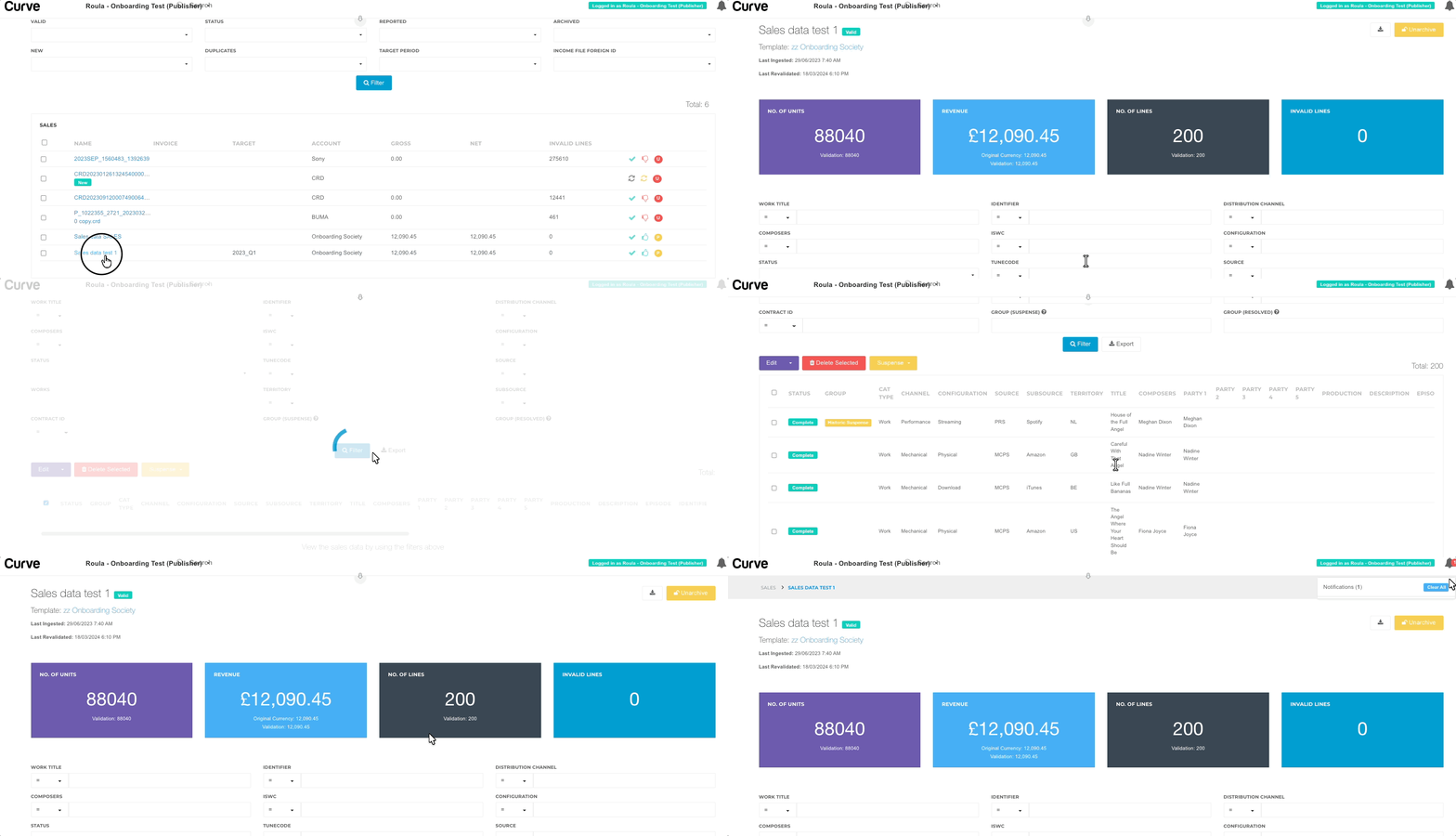
The file received shows all mappings made by Curve. Please note that this is not the original file received from the source of the income.
Let’s take a look at the columns of this file:
- The first one displays the Curve ID assigned to each line.
- The second column shows the Curve ID assigned by Curve to the file.
- The Cat Type refers to the sale type (which can be either Work or Contract).
- The columns indicating an “original value” - such as the "Original Work Title" - would show the equivalent value as this was included in the original income file.
- The "Mapped" fields would direct us to the catalogue item in Curve that a sale was mapped to.
- In a similar manner, we can review the rest of the fields until we get to the last four or five columns, which are the main indicators of whether an income line has been reported or not in a Statement.
The columns "Reported Period IDs" or "Reported Period Names" would indicate in which Period a line has been reported. If these columns are blank, it means the sales line is Unreported. These are the ones that we would be focusing on in such a scenario.
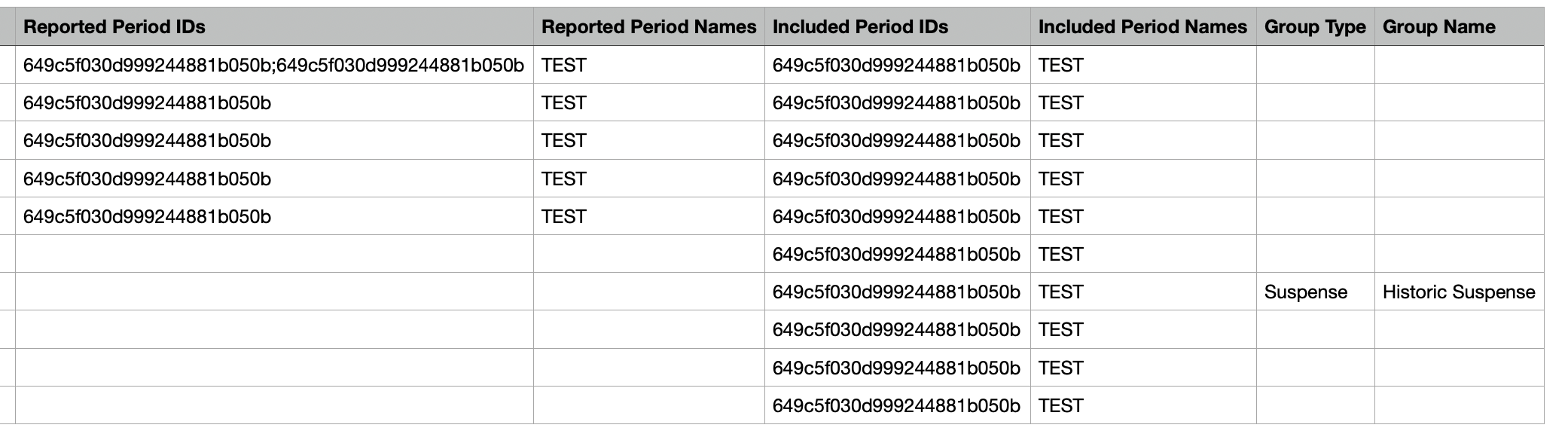
The columns "Included Period IDs" or "Included Period Names" would show the Periods that these lines have been included in.
So, if an income line has been included in a Period but not reported in one, the "Included" fields will be populated, while the "Reported" fields (i.e., "Reported Period IDs" and "Reported Period Names") would be blank.
This approach would be very helpful if we wanted to review individual Partially Reported Income Files. For a thorough analysis, we would suggest downloading the Unreported Income CSV from the Period, as well as creating a Fixed Report for Unreported Income Lines on the Reports tab.
For more information , please refer to the Article: Resolving Unreported Income.
 English
 Nederlands